Logos & Promos Maker
Your own logo or a promo card, animated onto footage you already filmed. Free, no signup, and a small tag on exports that comes off with Pro.


Independent tool. Biboka is not affiliated with, endorsed by or connected to any platform named on this page, and every product name, logo and visual style belongs to its owner. What you make here is a mockup for storytelling, not a real message, review, notification or news broadcast.
Every part of it is yours
What you are actually placing
- 1The filePNG, JPEG or SVG, exactly as you made it. We never draw the mark itself, only where it sits and how it arrives.
- 2The placementDrag it anywhere on the frame and pull a corner to size it. Position is stored as a fraction of the frame, not a pixel, so it survives a reformat.
- 3The arrivalA fade, a slide in from an edge, a confident pop, or a grand entrance that opens big and settles small.
- 4The timingPinned for the whole clip like a watermark, or its own moment on the timeline that holds to the last frame.
- 5The backingNothing behind it, or a plain card so a dark mark stays legible on dark footage.
Both ways it can sit
Bare, or backed by a card
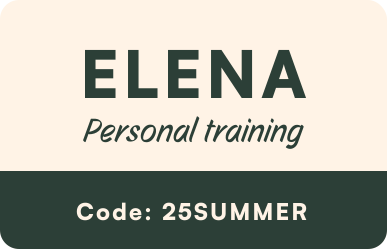
There are 2: your artwork on its own, or lifted onto a plain white card so it stays legible against footage as dark as it is bright. Same file both times. Yours, never ours.
Three steps
How you make one
- 01
Drop in your video
Your own footage, from your phone or your camera. It sits on the timeline as the background.
- 02
Say what you want on it
One sentence is enough. The prop arrives already filled in, and you can edit every part of it.
- 03
Export it
MP4 for the video, or a transparent PNG to drop into your own editor. No signup to try it.
The rest of the studio
53 looks, one editor
Every one of these drops onto your own footage, on the same timeline, and exports as video or a transparent PNG.
Search bars · 5 looks
Countdowns · 4 looks
Rating badges · 5 looks
News captions · 15 looks
Encyclopedia entries · 2 looks

Logos & promos · 2 looks
The other 20 looks are in the same editor: the chats and the comment threads.
The plain facts
What you get
- Output
- MP4 video, or PNG with a transparent background
- Sizes
- TikTok & Reels (1080x1920) · Insta Feed (1080x1350) · Full Mobile (1170x2532)
- Where it renders
- In your browser. Your footage is never uploaded anywhere
- Signup
- Not needed to make one or to export. Only the AI prompt needs an account.
- Tag on exports
- A small brand tag on every free export, video and PNG alike. Pro removes it.
- Works on
- Desktop and phone
What it is
A Logos & Promos Maker puts artwork you already own on top of a clip you already have. Upload the mark, drag it where you want it, choose how it arrives, and it animates onto the footage: a small logo in the corner for the whole video, or a full offer card that lands in the second half and stays there. Nothing here is drawn for you, and that is the point. Every other tool on this site builds a prop that looks like somebody else's app. This one puts your own name on your own film.
Use cases
A trainer or a shop putting this month's discount code onto a piece they already filmed.
A mark in the corner of every clip, so a reposted video still carries your name.
A sponsor's logo dropped onto a cut you are delivering to a client.
Frequently asked questions
PNG, JPEG or SVG. A transparent PNG keeps its transparency over the footage. Anything much bigger than 1024px on its longest edge is scaled down before it is used, and the panel tells you when that has happened rather than doing it quietly.
It stays in your own browser. The project carries a reference to the file rather than the picture itself, which is why a share link opens on somebody else's device with an empty logo box until they add their own.
Yes. Drag it and it stays exactly where you put it, in the same place in the export as in the preview, because the position is stored as a fraction of the frame rather than in pixels.
Yes. A logo layer has two shapes. It can be pinned to the whole clip, the way a watermark is, or it can take its own moment on the timeline, the way the promo card in the animation above does.
There are two fixes and both leave your artwork alone: put the mark on a card, or turn on the soft gradient that fades out behind it. Either one buys the contrast back without recolouring anything you uploaded.